Free in your browser
Your raw footage becomes a ready-to-post video.
Drop your videos, pick a style, and watch the AI edit in front of you: cuts, captions, B-roll and music. Then change anything you like.
How it works
Three steps. A few minutes.
- 1
Drop everything in one place
Videos where you talk, B-roll and photos. VideoLab sorts them for you, live.
- 2
Pick a style
Optionally say what you want in your own words: "more energetic", "keep my pauses". The cost in minutes shows before you start.
- 3
Watch the edit happen
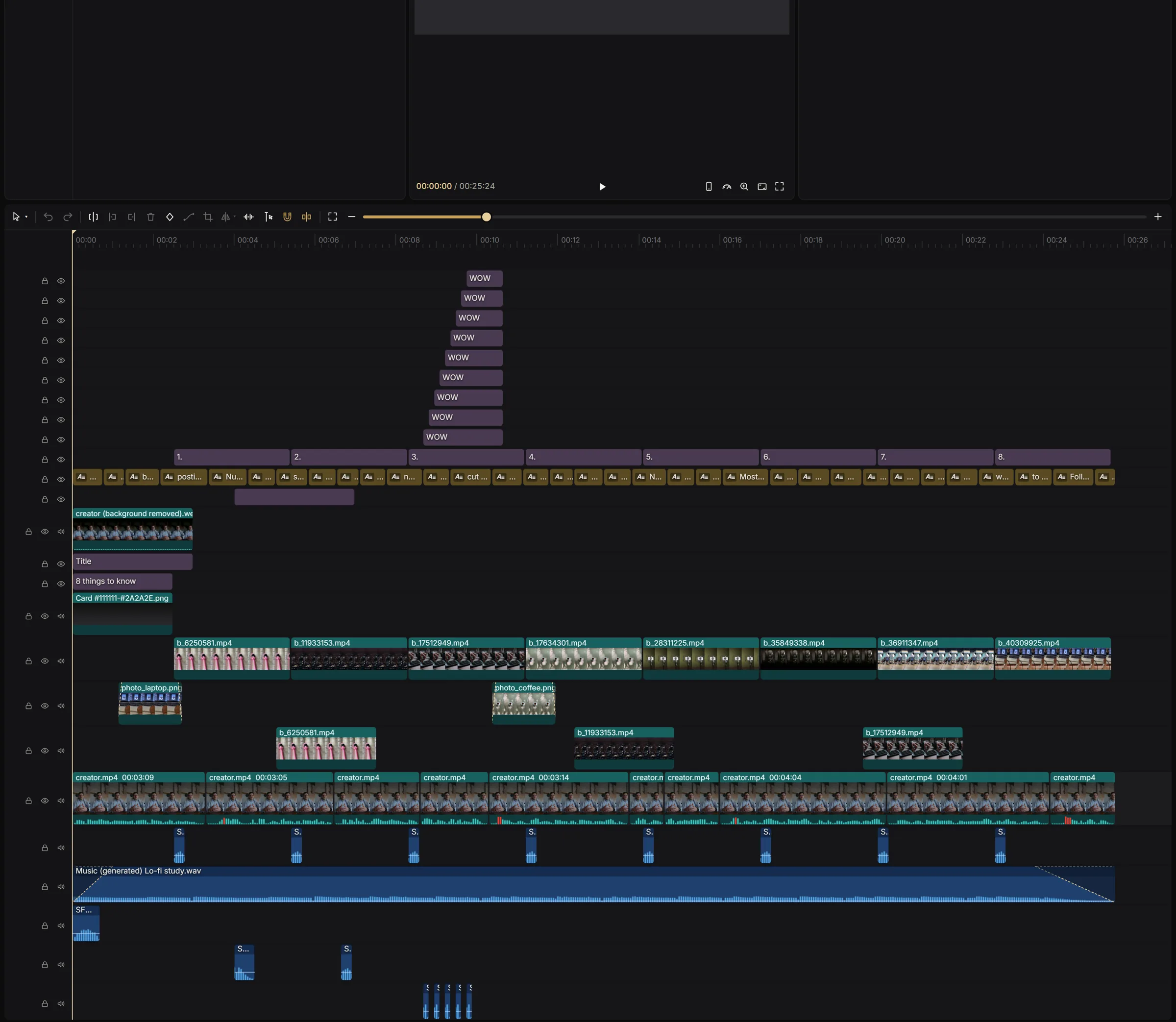
Every cut, caption and B-roll lands in front of you. Not quite right? "Redo with changes", free twice.
With the same account
Everything you need to post more.
- AI Editor
The full edit, in your style.
Silences cut, best takes kept, animated captions, B-roll and music.
- AI Clip Factory
One long video, many shorts.
Podcasts, streams and vlogs: the AI finds the best moments and reframes them vertically.
- AI Carousel Maker
Carousels people read.
Instagram and LinkedIn: the AI writes each slide from your photos.
- Full editor
The whole editor. FREE
Change anything by hand, with no AI minutes and no watermark on what you edit yourself.
Free to start
15 AI minutes every month.
One minute of video sent to the AI is one minute. The editor stays free forever. Lab+ when you want more: 600 minutes a month, no watermark, 4K export.
FAQ
Before you start.
Do I need to install anything?
No. Everything runs in your browser, on a computer. The iPhone and Android apps use the same account.
Is it really free?
Yes: the full editor and 15 AI minutes every month, with no credit card. Edits made by the AI carry a small VideoLab watermark on the free plan.
Which videos work best?
Videos where you talk: tips, vlogs, tutorials, podcasts, testimonials. The AI Editor also edits videos without speech, without cutting their silences.
Do my videos stay private?
Yes. Your projects are private to your account, and you can delete them, or your account, at any time.